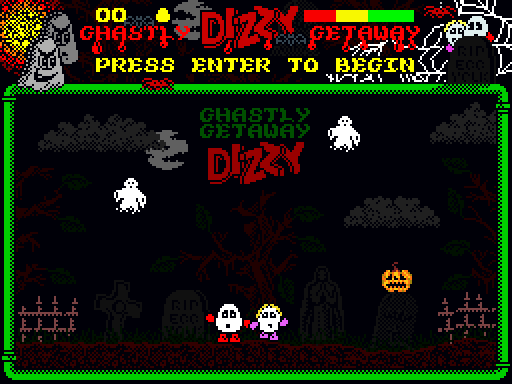
The latest DizzyAGE game by Pogie :smile:
v1.1
{eggs2}:dage:
- Yolkfolk.com
- DizzyAGE
Am I right in saying that Jamie and Phillip failed to guess this title before I posted this? {yolkfolk}:raspy:


Started by Adam Markey on 22 October 2010 • 13,804 views
The latest DizzyAGE game by Pogie :smile:
v1.1
{eggs2}:dage:
- Yolkfolk.com
- DizzyAGE
Am I right in saying that Jamie and Phillip failed to guess this title before I posted this? {yolkfolk}:raspy:
Looking very good! :yes:
one thing, you should use ResHacker to change the icon of the dizzy.exe file to the icon you included in the zip file :smile:
bah those ghosts 'kill' me even when I'm nowhere near them {dizzy}:mad:
[quote data-userid="277" data-postid="71892"]
Erm, yeah, ResHacker you say? Ahem, err... {yolkfolk}:scratch:
[/quote]
(as usual Pogie needs a little help)
google it, then download it (or get it from here)
open it up, and drag the .exe file into left left hand side of it.
click the + next to 'icon group'
click the + next to 101
left click 1033
right click 1033, choose 'replace resource'
click 'open file with new icon' and choose the icon file you want to use
click 'replace'
go into the 'file' menu and click 'save'
the change may not show up straight away, but that will have changed the icon. It will also have created a new .exe file called dizzy_original, which is just a copy of the original in case you didn't like the changed one.
Oh how typical! I usually check the site most mornings just to see what's been happening and what have I missed in less than 24 hours - a new game has been posted with 19 downloads, and one person has almost finished it already. Feeling a tad smug are we FrogandHat {yolkfolk}:yo: (the icon is mean to represent 'who's the daddy').
So, now I've downloaded it and had a quick look around and just thought I'd say 'Nice one Pogie'. The music is just right and I really liked the conversations with the hotel manager and plant as it's adding a bit of depth to the storyline. I also liked the little extra comments when trying to open the bedroom door with the wrong item rather than just 'dropping' the item. I think I shall enjoy restarting this game a number of times.
[quote data-userid="279" data-postid="71912"]
Oh how typical! I usually check the site most mornings just to see what’s been happening and what have I missed in less than 24 hours – a new game has been posted with 19 downloads, and one person has almost finished it already. Feeling a tad smug are we FrogandHat {yolkfolk}:yo: (the icon is mean to represent ‘who’s the daddy’).
[/quote]
VERY! {yolkfolk}:raspy: coz I have now completed it!
Great little game Pogie, thanks. Very nice for Haloween
[quote data-userid="277" data-postid="71917"]
It would've been bigger if I'd had more time
[/quote]
I personally think it was just the right size :smile:
the dizzyage screen?
I found that.. {yolkfolk}:thumb:
[quote data-userid="277" data-postid="71919"]
Btw there's a hidden screen - did you find it?
[/quote]
Was it where the Apple is? or maybe where the bird flies off to?
[quote data-userid="90" data-postid="71921"]
Was it where the Apple is? or maybe where the bird flies off to?
[/quote]
That's the one :smile:
Oh, stop! {yolkfolk}:redfaced:
I am feeling smug enough already {dizzy}:dizwink:
welcome to the community dora! {yolkfolk}:clap:
you weren't breaking any forum rules, but there's usually a help thread for most fan games. Using spoilers is good too. :smile: